
How to Build Your First Remote Support Team




A remote support team consists of off-site professionals who perform clearly defined operational or customer-facing work for a business or organization. An easy way to build your first remote team is to divide the process into four stages: mapping task demand, deciding on roles, preparing systems, and managing team performance.
In this guide, we’ll discuss how to define and design the support function before recruiting. We’ll also see which responsibilities to delegate, which roles to hire first, and how much external support your business actually needs. Solo owners, professionals, small businesses, or established growing companies can all use this framework.
Key Takeaways
- A remote support team can handle both internal operations and customer-facing duties, as long as there are clearly defined workflows and systematized reporting.
- Evaluate your task volume, recurrent delays, business and customer impact, level of judgment required for the different duties, and system access needs before choosing the roles you will delegate.
- Virtual assistants (VAs) and customer service agents have different functions. An administrative VA can solve coordination bottlenecks. A customer service agent can help with delayed inquiries and orders, as well as customer support.
- One hire can be enough to cover a defined workflow. Multiple shifts or multi-task coverage needs may justify hiring several team members from the start.
- Each standard operating procedure (SOP) should specify the expected result, steps to follow, tools to use, task ownership, exceptions, and escalation path.
- A customer support playbook must also cover product knowledge, brand voice and tone, permissions, response targets, and escalation rules.
- Track outcomes according to the precise roles. Administrative accuracy, customer response, and sales follow-up require different measures.
- Add team capacity when backlog increases, you repeatedly miss targets, spot coverage gaps, or dependence on one person becomes a risk.
What Is a Remote Support Team, and Why Build One Now?
A remote support team provides off-site support for recurring internal tasks, also called back-office work, and customer-facing duties as well. A remote team can include virtual assistants, customer service representatives, prospecting staff, or specialized coordinators, among other specialists.
Remote work has shifted from being a tool used for an emergency response into a permanent work model. Buckman, Barrero, Bloom, and Davis reported that work from home accounted for one-quarter of paid workdays among Americans aged 20 to 64 as of 2025 (including hybrid arrangements). It does not mean every function has to be done off-site. It indicates that remote working systems are now common.
Capacity pressure gives business owners another direct reason to outsource to remote staff. A 2026 Adobe Express survey of 1,000 US small business owners found they filled five roles daily. They also worked more than 200 extra hours annually. Customer service appeared among those roles for 54% of respondents.
Besides outsourcing to add service capacity, businesses do it to access specialized skills. Deloitte's 2024 Global Outsourcing Survey found that 80% of surveyed executives planned to maintain or increase third-party outsourcing investment.
Should you start building your remote support team now? It may be right to build a remote team now if:
- You've already done your mid-year business check, and it revealed recurring operational gaps.
- Seasonal demand or business growth exceeds your existing capacity.
- Expanding your reach is one of your goals for the current year.
- You are experiencing constant delays in customer inquiries, sales follow-up, or administrative work that keeps piling up.
- You need flexible support without expanding your premises.
Our guide to building a team through virtual staffing explains the impact of virtual staffing on team dynamics and how it can maximize your business potential.

Identify the Tasks You Need Help With
Naming the role you need help with is not the first step. Start by identifying the specific work, the tasks you need to delegate. Review where requests remain unanswered, records become outdated, deadlines slip, or you or your senior staff handle routine work that doesn’t require core business skills.
Separate operational and customer-facing demand
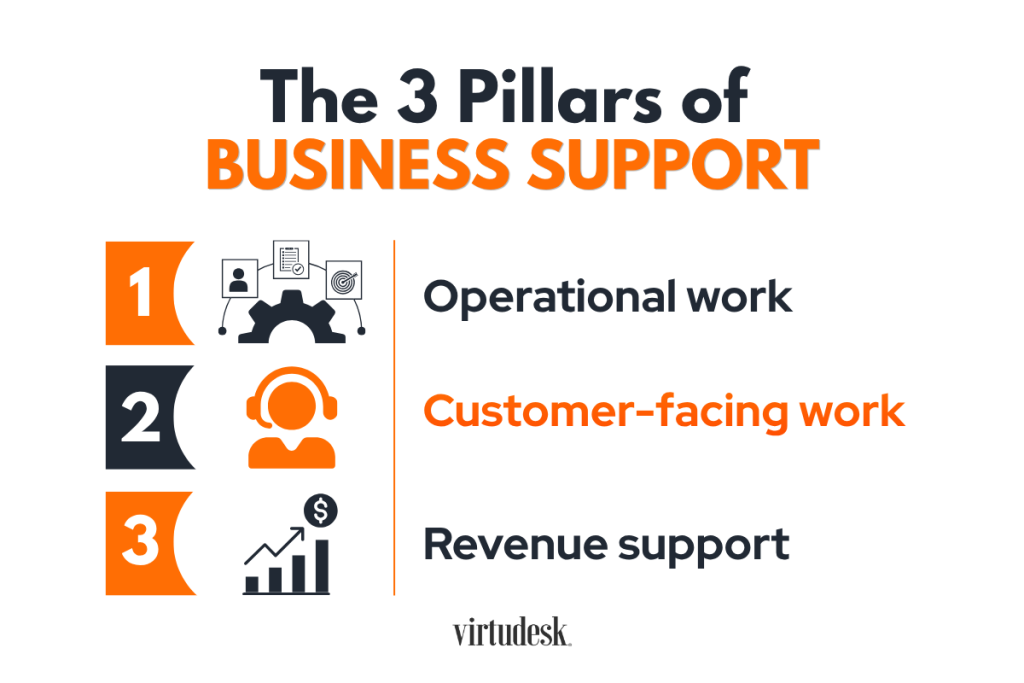
Operational support keeps internal work moving, and customer support manages direct contact before or after a purchase, or handles any client inquiry. Sales and marketing support may be a combination of both operational and customer-facing support; they sit halfway between them because they combine records, outreach, and follow-through. Examples of some categories include:
- Operational work: inbox sorting, document drafting, file organization, CRM updates, reports, and data entry.
- Customer-facing work: email, chat, phone coverage, order intake, appointment setting, answering questions, complaint routing, and overall customer support.
- Revenue support: lead research, prospecting, follow-up schedules, database updates, and campaign coordination.
Real estate teams, marketing, and sales teams, for example, usually combine internal work with customer-facing tasks. For instance, they may draft documents, meet deadlines, and handle customer communication.
Take a look at our article on customer service virtual assistant tasks to discover in more detail what this function covers.
Measure workload before writing the role
Evaluate at least two representative weeks. Include peak periods if demand changes by day, month, or season.
Go task by task and write down the following:
- How often does this task occur, and how much weekly time does it consume?
- What happens when the task is delayed? What are the effects of that delay on customers, revenue, deadlines, or records?
- Can you describe and review the finished result?
- Which decisions actually require an owner, manager, licensed worker, or subject-matter specialist?
- Which systems, customer data, and sensitive or confidential files would the role access?
After the evaluation, group related work.
For instance: inbox and calendar work may form one administrative role. Tickets, calls, and order questions may form a customer service role. Combining unrelated specialties can make you create an impractical and ambiguous position.
Let the main chokepoint determine the first role.
Your task map should ideally define the first role you’ll assign to your remote support team and its weekly workload. It should also preserve owner and specialist decisions inside the business.
Hire the Right Roles for Your Remote Support Team
Start with the role that removes the chokepoint that causes the greatest business cost, not simply the tasks that devour the most time. Compare each task group by customer delays, missed revenue, deadline risk, owner dependency, weekly volume, and ease of delegation. Then choose the role that can absorb the highest-impact group, setting defined boundaries and measurable results.
How to match the role to the chokepoint
The work itself will give you the clues to decide among common starting roles.
- Choose a general or administrative virtual assistant when coordination, records, calendars, document drafting, and routine communication are consuming your time.
- Choose a customer service virtual assistant when inquiries, appointments, orders, or after-sales questions wait too long.
- Choose prospecting or call center support when contact volume, follow-up, or scheduled phone coverage limits the sales pipeline.
- Choose a specialist when the work requires transaction, marketing, healthcare, legal, property-management, or any other sensitive knowledge and/or certification.
Look at sales teams as an example. Salesforce's 2026 State of Sales research found that the average seller spent only 40% of their working time actively selling. The same report found that 48% lacked capacity for cold outreach. CRM management, list work, and scheduled follow-up may justify hiring specialized sales support before general administration.
In our downloadable free eBook The First 3 Hires a Business Owner Should Make, you’ll find valuable tips to help you decide which roles to delegate first. Adapt the sequence to your business needs.
Opting for just one hire can be a good decision when only one workflow causes the problem. Several hires can be reasonable when the coverage you need exceeds one schedule or involves diverse and distinct tasks.
Ultimately, your workload and service hours indicate the correct starting size for your first remote team.
Recruit and assess candidates
Write the job description around your task map, expected results, schedule, tools, and decision limits. Post it through suitable job boards, networks, or a business service provider. Before interviewing the applicants, screen their qualifications.
When evaluating your candidates, assess communication, judgment, system familiarity, accuracy, schedule fit, and data-handling habits. You can then ask for a short work sample depending on the role. An administrative candidate can organize a sample inbox or correct a CRM record. A customer service candidate can answer a realistic inquiry and explain when it’s time to escalate. A prospecting candidate can complete a call role-play and enter accurate notes.
Choosing the hiring model that suits your needs is important. You need one model that matches the kind and amount of support your business needs. With a direct employee, you will have greater internal control, but you’ll have to manage recruitment, payroll, onboarding, training, compliance, and replacement. A freelancer may be suitable for project-based or variable work, but availability and continuity become less predictable. A service provider can combine recruitment, onboarding, management, and replacement.
After you select a candidate (or candidates), move to the next stage: processes, access, training, and onboarding.
Set Your Team Up for Success
Before your remote support team begins to work, have your process documentation, tools, access, and expectations clear and ready.
Document results, steps, and decision limits
A standard operating procedure (SOP) is a written guide to follow for completing a repeatable task. Begin with the result, then record the instructions and controls needed to achieve it.
- Define the task owner, expected result, deadline, and system of record.
- List the inputs, sequence, templates, and quality checks.
- Describe exceptions and the point that requires escalation.
- Define things such as who can approve refunds, commitments, account changes, or public responses.
The guide How to Start Your Virtual Office covers the wider workspace and tool setup. If you are just starting with one team member, they can later help you refine procedures after seeing how the work actually runs.
Build a customer support playbook
Customer-facing roles need more context than just an internal checklist or a task-level SOP. They also need a customer support playbook (or customer service playbook) covering, for instance:
- Products, services, customer profiles, and common questions
- Your brand values and quality standards
- Your brand’s tone of voice (how to talk and write to your customers)
- Channel-specific procedures and response targets
- Escalation paths
- Recovery tactics to fix errors and handle angry clients
Define what a representative can resolve alone and when they must escalate a case. Update the playbook whenever products, policies, or customer needs change.
Choose a communication system
Effective communication and collaboration are the foundation of a consistent and productive remote team.
Since the types and purposes of communication vary a lot, a common practice is to assign one tool to each purpose. For example, you can choose messaging for short questions, video for training, and shared storage for approved files. When you use each tool for a distinct purpose, you reduce information overload, mixed messages, and time spent searching for updates on a topic or matter.
Structuring communication tools and their usage also affects productivity. Receiving constant messages reduces focused work. Microsoft's 2025 analysis found that its top 20% of users by notification volume received a meeting invitation, email, or chat every two minutes during core work hours. Set response windows and reserve instant messages for time-sensitive issues.
Finally, record final statuses and important decisions in the shared system of record instead of inside private messages.
Onboarding, access, and performance in stages
Onboarding should connect business context with supervised practice. Explain expectations, introduce key contacts, and increase responsibility gradually. Clarity remains a widespread problem. In 2024, Gallup reported that only 45% of US employees younger than 35 clearly knew what was expected at work.
- Before day one, prepare accounts, permissions, tools, procedures, sample work, and an internal contact.
- During the first week, explain the business, customers, role boundaries, and reporting routine. Use observation and guided practice.
- During weeks two through four, assign controlled work, review samples, and correct gaps before increasing volume.
- At 30 days, review output, questions, access, workload, and procedure updates. Reset expectations where needed.
Remote access, whether to your systems, files, or client data, also needs written controls. A good practice is to apply least-privilege access, which limits each account's access only to the features or system level the role’s duties require. For security reasons, make sure each of your on-site and remote assistants has their own accounts and set up multifactor authentication. For deeper information on cybersecurity for small businesses, we encourage you to read The Federal Trade Commission’s secure remote access guidance for encrypted connections and remote policies.
Customer and company data need strict protection. Protect it through need-based access, confidentiality terms, device rules, and prompt account removal. CISA also publishes helpful password guidance for small businesses.
A remote support team can work independently only after processes, communication, access, and escalation rules are clear.
Manage and Scale Your Remote Support Team
A team can’t scale without management. But how should you manage your remote staff when you hardly have time for your core activities? You can reduce the need for constant oversight by setting clear expected outcomes, structured check-ins, and reliable workload data. Activity records can inform a conversation, but they cannot replace quality measures or manager feedback. Another option is hiring someone to manage the team for you or hiring a service provider that includes remote staff management as part of their services.
Track outcomes by role
Select at least a small set of key performance indicators (KPIs) related to the results you expect for the precise role. Set a baseline and explain to your team how you’ll evaluate each measure.
Below are some examples of what to track based on the roles:
- Administrative support: completion rate, deadline adherence, accuracy, turnaround time, and unresolved exceptions.
- Customer support: first response time, first-call resolution, escalation accuracy, backlog, quality reviews, customer retention rate, and customer satisfaction.
- Sales support: completed follow-ups, qualified appointments, CRM completeness, contact outcomes, and handoff quality.
- Marketing support: published work, production deadlines, revision rate, and channel-specific results.
Take Timedly, our AI-powered tracking and monitoring tool, for example. It takes screenshots, records time, attendance, and task activity, giving you and your account manager visibility into daily work. Use those records with task results and quality reviews. Screen activity records alone do not show accuracy, customer tone, or business impact. For sales support, where higher volumes of outbound calling are needed, use a power dialer prospecting platform, Tymbl Dialer, for example.
Set your KPIs before your remote team starts to work. Explain what each one measures and why you are tracking them. Don’t neglect them even if you are just starting to build your first remote support team with one single assistant.
Adopt a predictable management cadence
In project management, cadence is the predictable and recurring rhythm of updates, meetings, activities, decisions, and feedback. Cadence gives remote teams structure, ensuring regular touchpoints for updates, problem-solving, and decision-making without constant messaging.
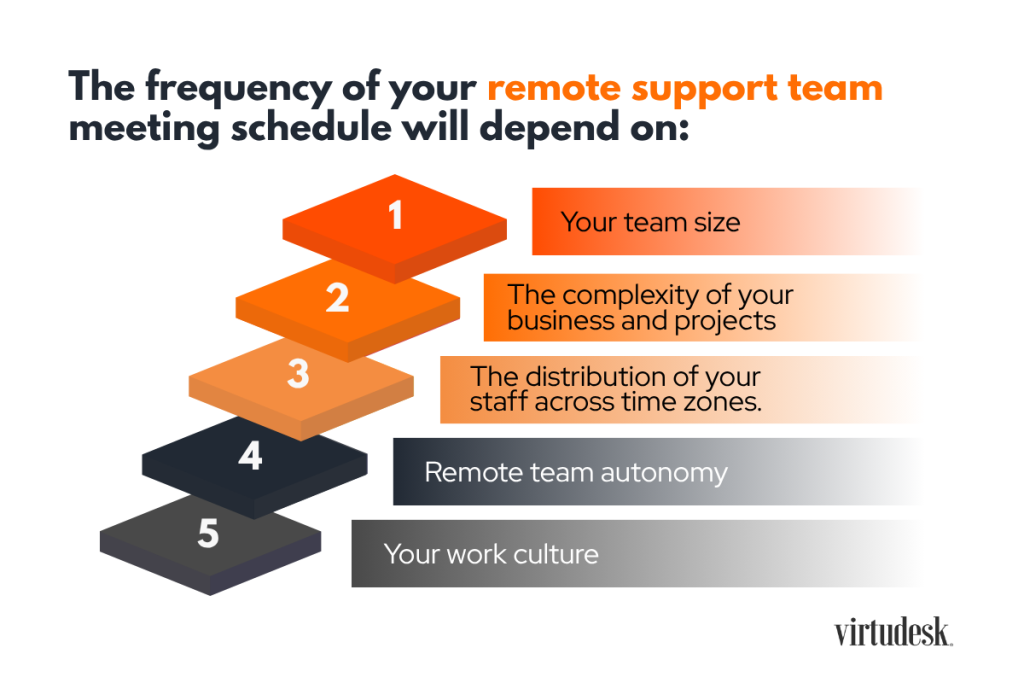
The frequency of your remote support team meeting schedule will depend on:
- Your team size
- The complexity of your business and projects
- The distribution of your staff across time zones.
- Remote team autonomy
- Your work culture
A short daily update can cover completed work, current work, and blockers. Use a weekly meeting for priorities, feedback, exceptions, and procedure decisions. A monthly review can assess workload, measures, access, and training needs.
Gallup's guidance on manager check-ins links weekly conversations with clearer expectations as customer and business needs shift. Keep meetings focused on decisions, feedback, and coaching. Routine topics belong in the shared work system.
Add capacity when the evidence shows you need it
Review the real demand before adding another role or more hours.
First, we must distinguish individual work capacity from team capacity. The first refers to the amount of work one individual can reasonably complete based on their available time, workload, and skills. Team capacity is the maximum amount of work your team can complete within a timeframe. As a business owner or manager, it’s important to observe both to distribute work fairly, reduce burnout risks, and decide whether you have enough resources to meet your business goals.
Some common signals to observe are:
- Response or completion targets are missed for several review periods.
- Backlog grows even though the current person doing the role meets reasonable output targets.
- Customers need evening, weekend, language, or channel coverage that one single schedule cannot provide.
- Specialist work repeatedly interrupts a generalist role.
- One person holds too much process knowledge, creating a continuity risk.
Expand the existing role when the same work has grown. Add a different role when a new function causes the gap. Document handoffs before dividing work across people or shifts.
Frequently Asked Questions
How many people should my first remote support team have?
Start with the number required by the workload. One person often fits into a defined administrative workflow or a single customer channel. Several people may be necessary for extended hours, multiple languages, large queues, or reliable backup. A solo owner should also consider available onboarding time. Begin with the smallest staffing level that can meet the stated service target without overload. Review demand after 30 days, then adjust hours or roles from actual data.
Which remote support role should I hire first?
Hire for the function where delay or owner involvement creates the greatest business cost. Choose administrative support when calendars, records, inboxes, and coordination consume senior time. Hire customer service when inquiries, orders, complaints, or appointments wait. Select prospecting support when outreach and follow-up limit the pipeline. A specialist fits regulated, technical, or industry-specific workflows. Confirm the choice with task frequency, weekly hours, customer impact, required judgment, and access needs.
How much does a remote support team cost?
Cost depends on role type, experience, weekly hours, service coverage, tools, management, and hiring route. Compare total cost rather than hourly pay alone. Include recruiting, onboarding, payroll, benefits, equipment, software, supervision, and replacement work. A provider-supported role may bundle several of those items. An in-house hire may give you different control or availability. Build the comparison around the same workload, hours, and service targets so the options remain comparable.
What is the difference between a remote team and a remote employee?
A remote employee describes an employment arrangement. A remote team describes how several people coordinate work across locations. Remote team members may be direct employees, contractors, or professionals supplied through a business service provider. The more useful comparison is between hiring routes. Review who recruits, employs, manages, equips, and replaces the worker. Then compare costs, control, continuity, and compliance duties against the same business need.
Conclusion
Build your first remote support team from measured demand. Start with the role that removes the highest-impact chokepoint. Then document decisions, protect access, track outcomes, and add capacity only when workload or coverage data supports it.
At Virtudesk, we can help you staff administrative, customer service, prospecting, and other support roles through our virtual assistant services. Businesses that need higher-volume phone coverage can use our call center services. And if you already have remote staff, our management services can provide ongoing oversight and Timedly-based visibility as your team grows.
Schedule a free discovery call or reach us at 1 (800) 470-8136 to discuss where work, inquiries, or follow-up keep waiting. We will help you identify the first roles and support structure to build.
Share this article
Meet our Most Trusted
Partners & Clients

Byron Lazine
Co-Founding Chief-of-Operations at BAM (Broke Agent Media)I’ve been using Virtual Assistants for years throughout all of my companies. Once we found Virtudesk the process got even easier and allowed us to scale out our hiring. Highly skilled and accountable professionals. 100% recommend!

Rebecca Guy
Realtor / Content CreatorBefore getting started with Virtudesk I had my doubts that they would find what I was looking for. I needed a very particular person to add to my team and let me tell you I am highly pleased! My virtual assistant Myril is the best! I am excited to grow my socialmedia accounts with her. Thank you Virtudesk!

Chelsea Erickson
Realtor La Belle RE GroupI am very happy with the assistance Virtudesk is providing for my real estate business. This is a newer position for my company and we are working through the creation and efficiency.


